
Google reviews: how to ask, how to respond and how they turn into clients
Google reviews decide who the customer calls. How to ask without making it awkward, how to respond to the good ones and the bad ones, and what Google prohibits.
 Higor Pádua · 3 min read
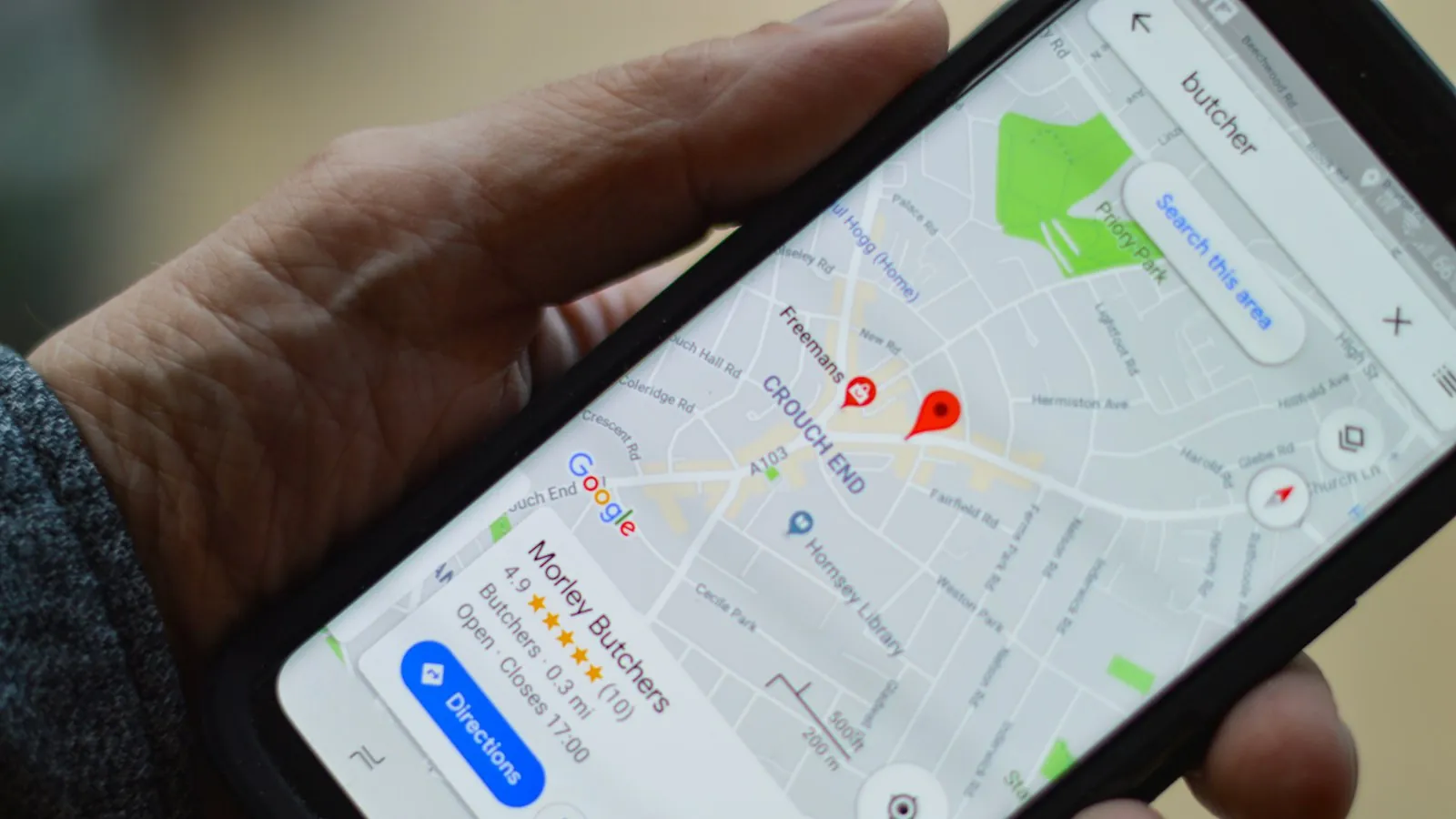
Two businesses show up side by side on the map. One has a 4.9 rating with 87 reviews. The other, 5.0 with 3 reviews. Which one would you call?
Almost everyone picks the first one. Not because of the rating, but because of how many people are saying the same thing. Reviews are the internet's word of mouth, only written down and public.
Why reviews carry so much weight
- For customers, they answer the question they're too embarrassed to ask: "can I trust this place?"
- For Google, they're a sign that the business exists, serves customers and is remembered. Volume, rating and frequency help the profile climb on the map, as I explained in how to show up on Google Maps.
No wonder "google reviews" is searched between 10 thousand and 100 thousand times a month in Brazil, according to Google's Keyword Planner. People read them, a lot.
Happy customers rarely leave a review on their own. They just weren't reminded.
How to ask for reviews without making anyone uncomfortable
The secret is to ask at the right moment and make it as easy as possible.
- Get the short link. In your Google Business Profile, look for the "Ask for reviews" option. Google creates a link that opens straight to the star rating screen.
- Pick the moment. Right after a job well done, an unprompted compliment, the end of a treatment. While the satisfaction is still fresh.
- Send a short, personal message. Something like: "Hi Ana! I'm so glad it worked out. If you could share how your experience was, it would help me a ton: [link]. It only takes a minute."
- Put the link in more places: a QR code at the counter, on the receipt, in your email signature.
Ask everyone, not just the people you think will give you five stars. I'll explain why in a moment.
What Google prohibits (and takes down)
- Buying reviews or asking friends who were never customers.
- Offering a discount, freebie or giveaway in exchange for a review.
- Asking only happy customers by screening who gets to review first (there's a name for that: review gating).
- Reviewing yourself or asking employees to leave reviews.
Google removes those reviews and can penalize the profile. It's not worth the risk, and customers can spot a fake review a mile away.
How to reply to good reviews
Reply to all of them. Thank people by name, mention something specific about the service and, if it makes sense, bring up the service and the city naturally. The person reading your reply is your next customer, not just the reviewer.
"Thanks, Carlos! It was a pleasure taking care of your kitchen remodel. If you need anything, we're here." Simple as that.
How to reply to a bad review
Breathe. Then reply.
- Don't reply in the heat of the moment. Wait a few hours.
- Thank them for the feedback and acknowledge whatever is true.
- Explain without arguing, in two or three sentences.
- Take it private: "Message me on WhatsApp so we can sort it out."
A well-handled complaint can be worth more than ten compliments. It shows readers how you act when something goes wrong, and that's exactly what customers want to know before hiring you.
And a 4.8 rating with a few answered complaints usually looks more real than a perfect 5.0.
What if the review is fake or offensive?
If it's spam, from someone who was never a customer, or it's offensive, you can report it right from your profile. Google reviews it and, if it breaks the rules, removes it. Meanwhile, reply politely: readers will understand.
Start today
Pick your last five happy customers and send them the message with the link. It's the best first marketing step, and it costs nothing. If you'd like help setting up this process in a way that fits how you work, reach out.